> ## Documentation Index
> Fetch the complete documentation index at: https://docs.canaveral.ai/llms.txt
> Use this file to discover all available pages before exploring further.
# Update the Parts Database
Your organization's Parts Database in Canaveral allows you to map real items and prices to takeoff objects when you generate reports. Navigate to the Parts library by clicking on the **Parts** item in the left sidebar of your Dashboard.
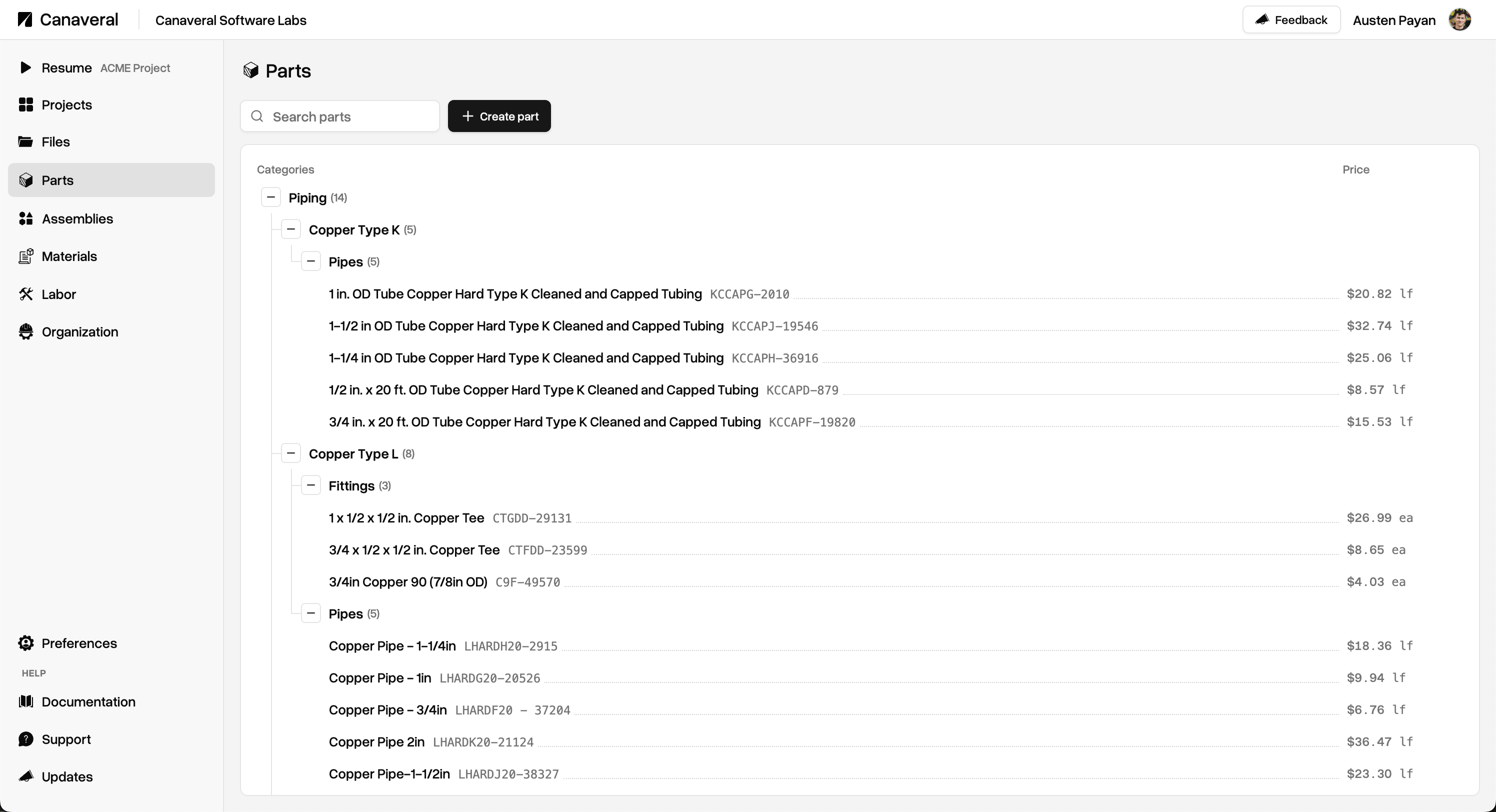 Create a new Part by clicking the **Create part** button.
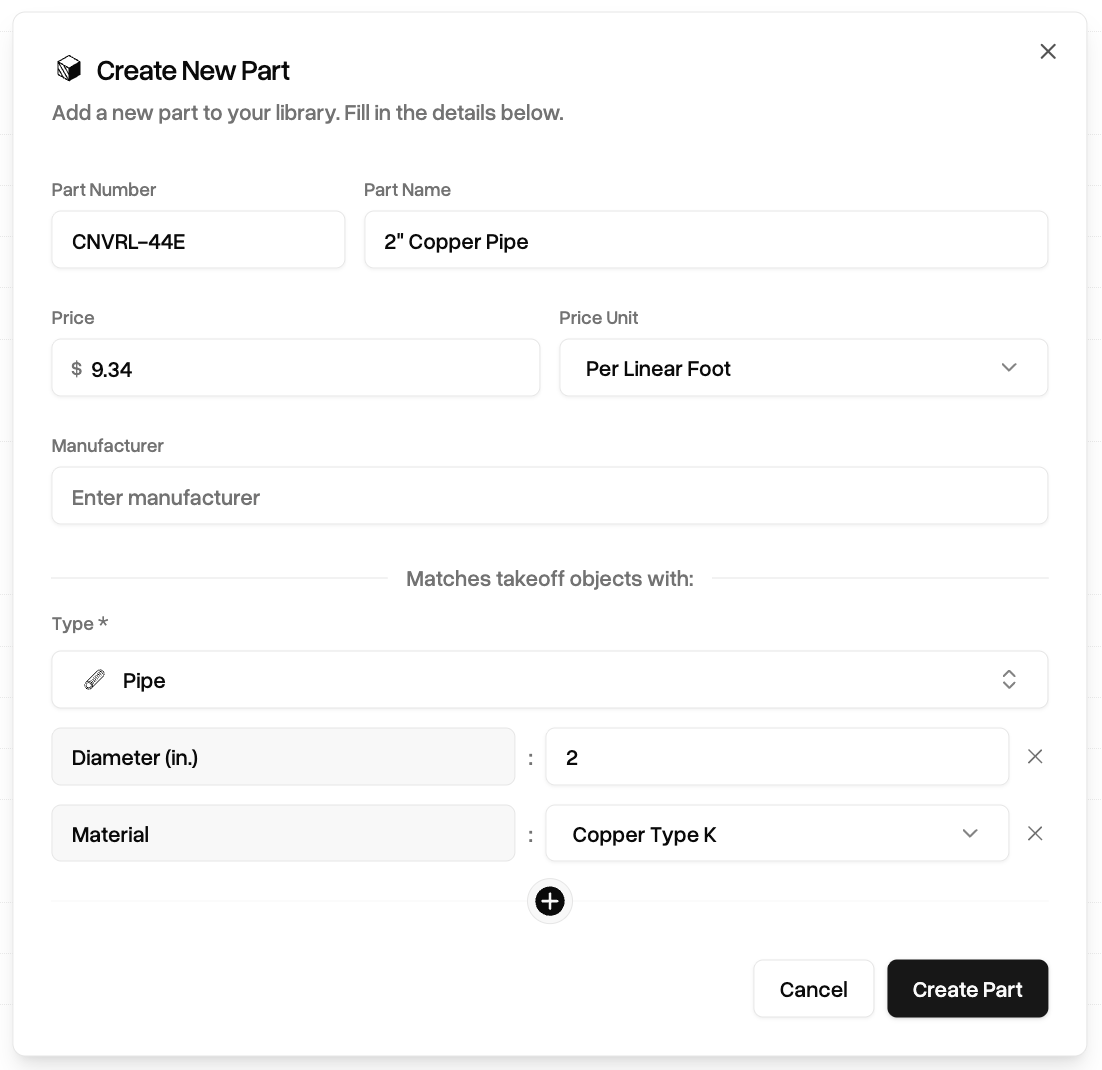 /Parts must have a number identifier, name, and a price per unit. Optionally, you can define an Manufacturer.
Additionally, Parts contain resolution definitions that allow you to target specific takeoff objects and metadata. [Learn more about Part resolution](/parts-library).
Once your part is ready, click **Create Part.**
Once created, your new part will appear in its associated section in the Part library tree. Click on it to edit the Part in the right panel.
/Parts must have a number identifier, name, and a price per unit. Optionally, you can define an Manufacturer.
Additionally, Parts contain resolution definitions that allow you to target specific takeoff objects and metadata. [Learn more about Part resolution](/parts-library).
Once your part is ready, click **Create Part.**
Once created, your new part will appear in its associated section in the Part library tree. Click on it to edit the Part in the right panel.
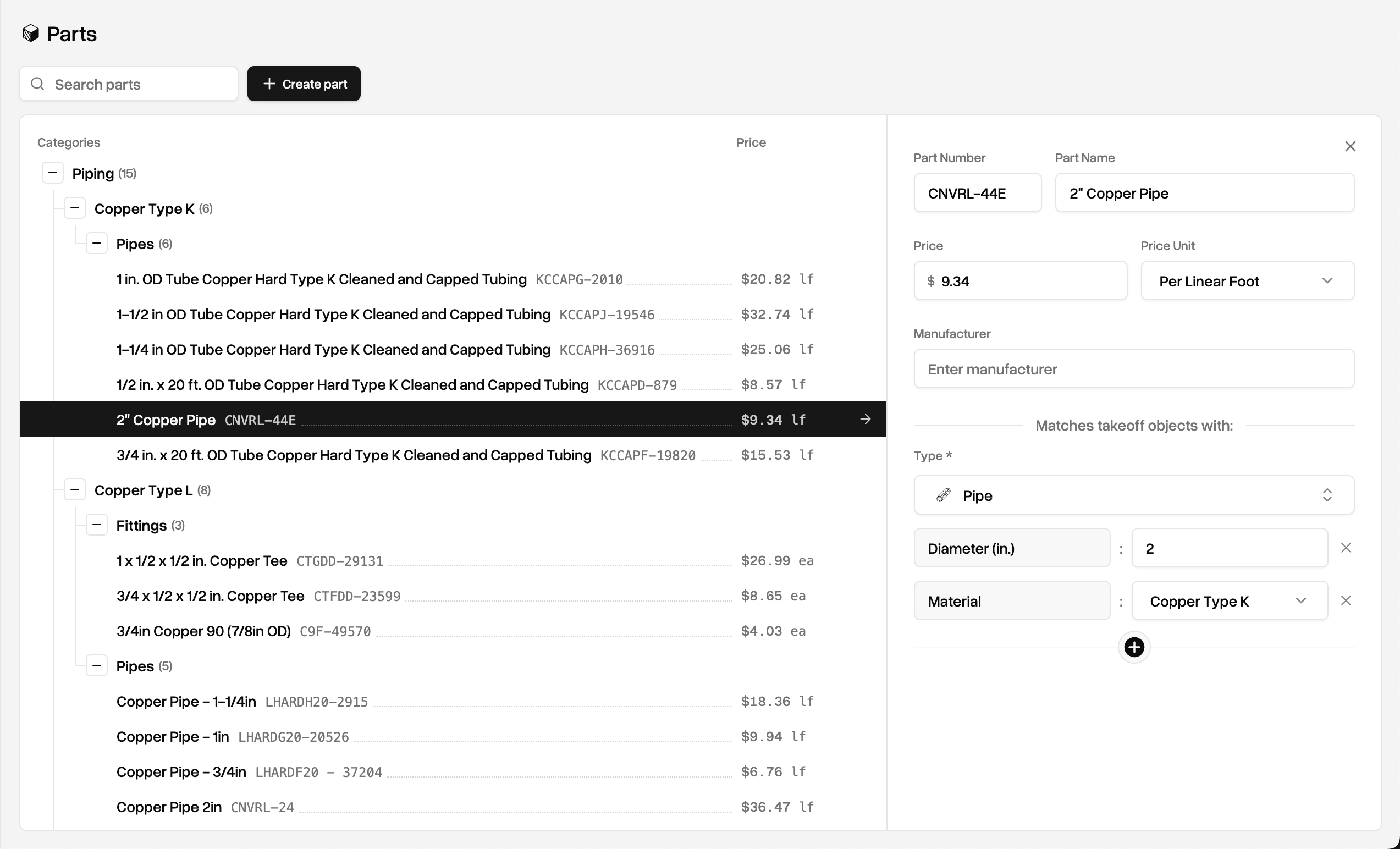 Any adjustments made here will instantly reflect new prices or metadata resolution in reports going forward.
Learn more about the Parts Database [here](/parts-library)
Any adjustments made here will instantly reflect new prices or metadata resolution in reports going forward.
Learn more about the Parts Database [here](/parts-library)